
Download Mixero Desktop – Social Media Management Tool, Facebook & Twitter Integration, Productivity Utility
Overview
Mixero Desktop is a specialized mobile application designed to streamline the management of two major social media platforms: Facebook and Twitter. Targeted at users who maintain active profiles on both networks, the app offers a centralized environment for monitoring, interacting with, and updating content across platforms. Its primary purpose is to reduce the friction associated with switching between separate apps, enabling users to stay connected with minimal effort and maximum efficiency. The app is particularly suited for individuals who rely on social media for personal communication, professional networking, or content sharing.
By integrating key functions from both Facebook and Twitter into a single interface, Mixero Desktop addresses the common pain point of fragmented digital presence. Users no longer need to toggle between multiple applications to check updates, post status changes, or engage with followers. This unified approach enhances productivity and reduces cognitive load. Real-world use cases include content creators managing brand visibility, professionals maintaining industry engagement, and casual users wanting to keep up with friends and trending topics across platforms.
The developer did not provide additional technical details about the company background or development history. While the app’s release date is listed as April 29, 2010, no further information about its evolution or current support status is available. Despite its age, Mixero Desktop remains relevant in the social media management ecosystem for users seeking a lightweight, dedicated tool for Facebook and Twitter interaction.
Key Features & Functionality
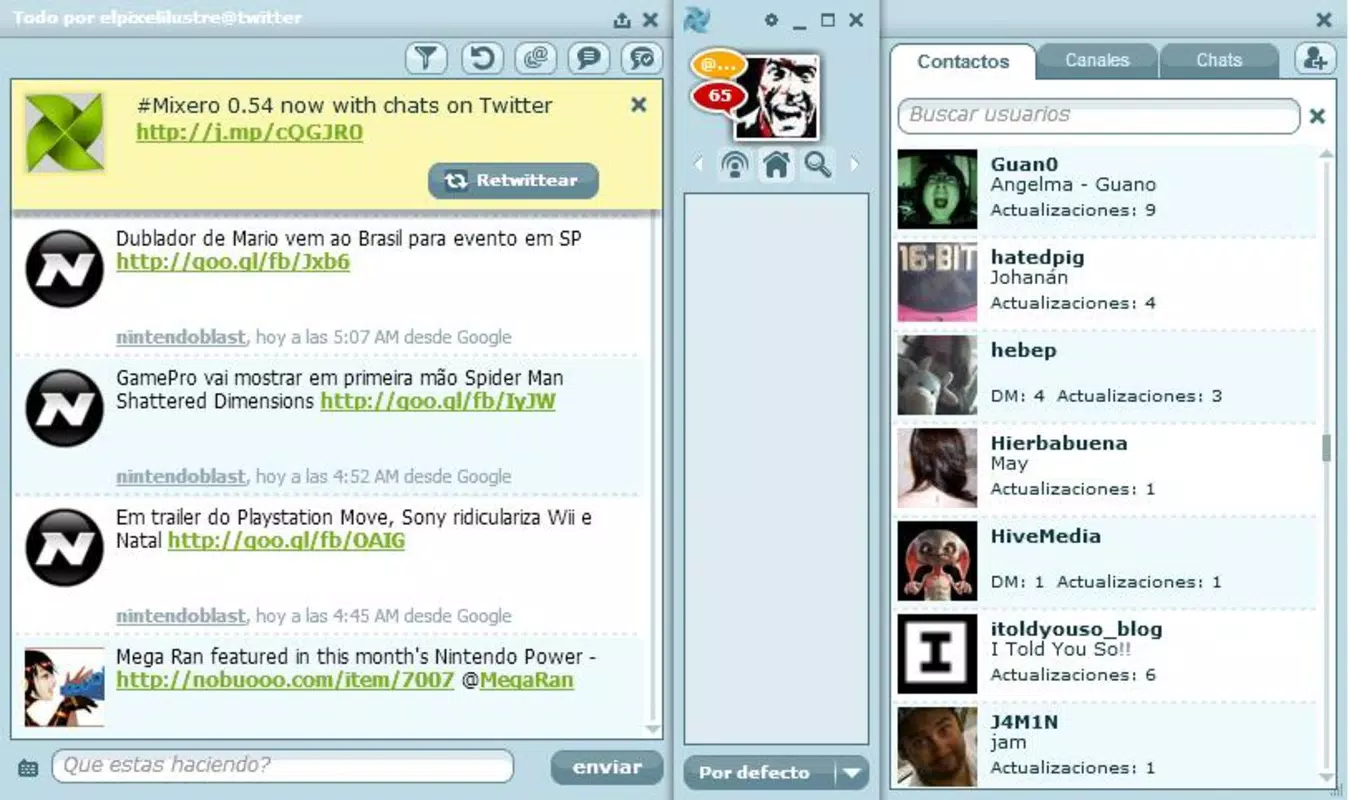
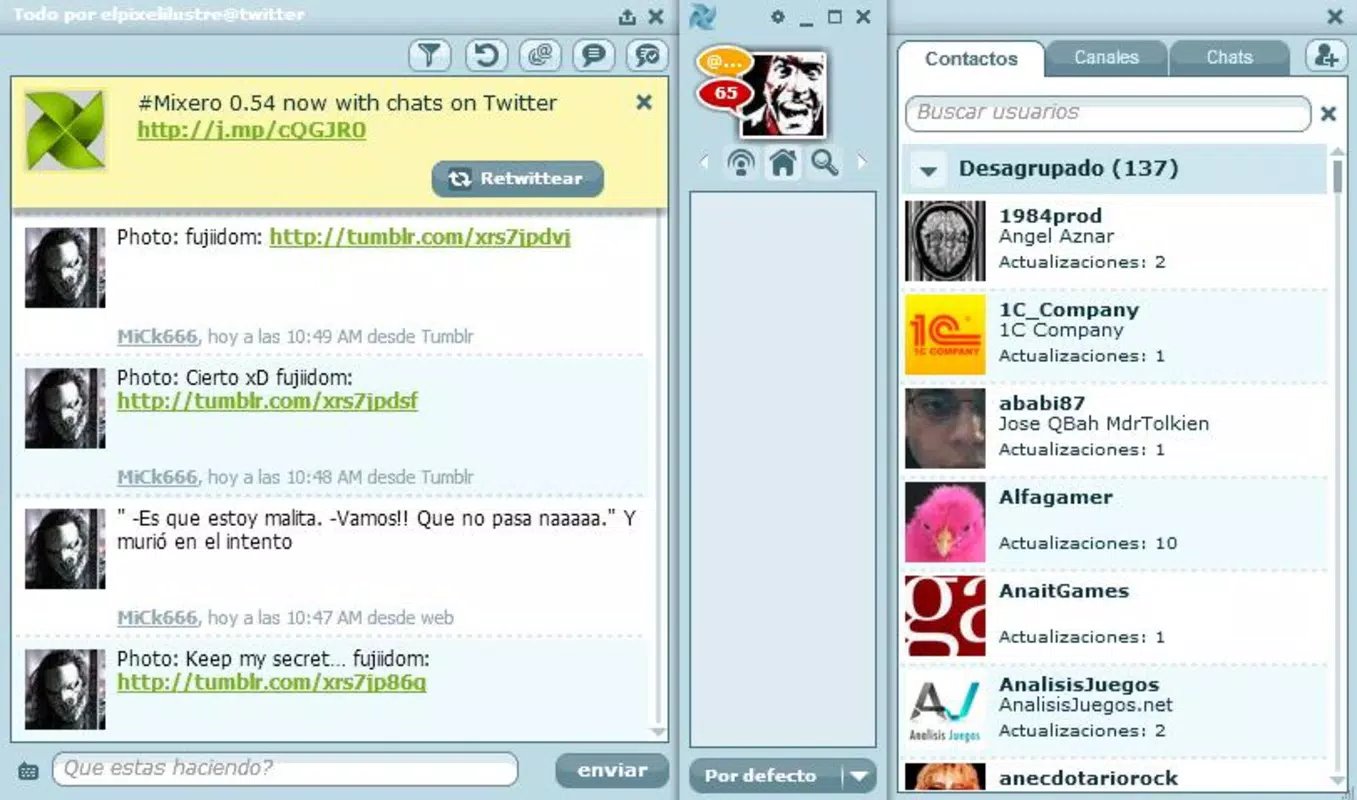
- Eye-Catching Interface: The app features a visually appealing design that prioritizes usability without sacrificing aesthetic appeal. The layout is structured to guide users intuitively through core functions, reducing the learning curve for new users.
- One-Click Access: Critical actions such as posting a tweet or viewing a friend’s profile can be executed with minimal navigation. This reduces time spent on routine tasks and increases engagement efficiency.
- Status Update Integration: Users can update their Facebook status or compose a new tweet directly from the same interface, eliminating the need to open separate apps. This feature supports seamless cross-platform communication.
- Custom Filters and Channels: The app allows users to define personalized filters and content channels. This enables selective content exposure, helping users focus on relevant updates while minimizing noise from less important posts.
- Synchronization of Accounts: Mixero Desktop supports the synchronization of both Facebook and Twitter accounts, ensuring real-time updates and consistent visibility across both networks. This feature is especially valuable for users managing multiple profiles.
For example, a digital marketer can use the custom filters to monitor brand mentions across both platforms while using one-click posting to share updates simultaneously. Similarly, a content creator can maintain a consistent presence by updating both networks from a single dashboard, saving time and improving consistency.
Interface, UX & Performance
The user interface of Mixero Desktop is designed with simplicity and visual clarity in mind. The layout organizes content into clear sections, with intuitive icons and navigation paths that support fast access to core features. The visual style emphasizes readability and minimal distraction, allowing users to focus on their social media content without unnecessary clutter.
Navigating through the app is straightforward, with a logical flow from home feed to profile management and posting functions. The app’s responsiveness appears to be optimized for smooth interaction, though specific performance metrics were not provided by the developer. Although the developer did not list formal performance metrics, the app’s design suggests a focus on stability and quick load times.
While compatibility with different device categories was not fully disclosed, the app’s lightweight nature implies it may perform well on a range of smartphones. The interface appears to adapt to various screen sizes, supporting usability across different form factors. Overall, the UX design reflects a mature understanding of user needs in social media management, emphasizing speed, clarity, and consistency.
Platform Compatibility & Technical Requirements
Mixero Desktop is available for Android and iOS platforms. The app’s current version is not specified in the provided data, nor is the exact file size. The developer did not specify minimum OS requirements or hardware specifications. Compatibility information was not fully disclosed, so users should verify device compatibility through official app stores before installation.
Given the app’s release date in 2010, it is possible that newer operating system versions may affect functionality. However, the developer has not indicated whether ongoing updates or maintenance are active. Users should ensure their devices meet the latest platform standards to avoid potential issues.
Pros and Cons
Pros
- Centralized management of Facebook and Twitter accounts
- Streamlined posting and interaction across platforms
- Customizable filters for personalized content curation
- Intuitive, visually appealing interface
- One-click access to key social media actions
Cons
- Developer did not provide detailed technical specifications
- Compatibility with modern devices and OS versions not confirmed
- No information on update frequency or long-term support
- Performance metrics not disclosed
- Age of the app raises questions about current functionality
FAQ
Is Mixero Desktop safe to install on my smartphone?
The app is designed to integrate with Facebook and Twitter, and while it does not require unusual permissions, users should ensure they download it from official app stores to maintain security.
Can I use Mixero Desktop to manage multiple Facebook and Twitter accounts?
Yes, the app supports synchronization of both Facebook and Twitter accounts, allowing users to manage multiple profiles from a single interface.
Does Mixero Desktop require an internet connection?
Yes, the app relies on an active internet connection to sync data, post updates, and access real-time content from both platforms.
Is Mixero Desktop free to download and use?
While the provided data does not specify pricing, many social media management tools of this type are offered at no cost. Users should verify the current pricing model through official channels.
How often is Mixero Desktop updated?
The developer did not disclose update frequency. Given the app’s release date in 2010, users should check for recent updates to ensure compatibility and security.
Final Thoughts
Mixero Desktop stands out as a focused utility for users seeking a unified experience across Facebook and Twitter. Its clean interface, efficient workflow, and cross-platform integration offer tangible benefits for anyone managing multiple social media accounts. While its age raises questions about current support and compatibility, the core functionality remains relevant for users who value simplicity and productivity.
For professionals, content creators, and active social media users, Mixero Desktop provides a streamlined alternative to juggling multiple apps. Its ability to reduce friction in content management and real-time engagement makes it a valuable tool in the digital toolkit.
Download Mixero Desktop now


